
Half-Life 2 – 64bit update
- Updated: 4th Jan, 2006
After booting up Steam after my Christmas holiday I was informed (via the usual Steam news pop-up window) that Half-Life 2 has been updated to run on 64-bit AMD Athlon FX chips:
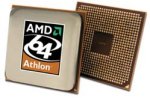
“…The first 64-bit Valve games released will be native 64-bit versions of Half-Life 2 and Lost Coast, and have been developed to take advantage of AMD Athlonâ„¢ 64 FX processor-based systems – the ultimate 64-bit gaming platform for PC enthusiasts.”
Yay, I thought. Oh, wait a minute. What the press release doesn’t tell you is that you need the 64-bit version of Windows XP running on your PC before you can play 64-bit Half-Life. Although I have a 64-bit machine I don’t run 64-bit Windows XP simply because the driver support is rubbish. If Windows XP 64 was as compatible as Windows XP 32 then I’d make the switch, but at the moment it isn’t so no 64-bit Half-Life 2 for me.
There are a few reported issues with the 64-bit version of Half-life 2 (gfx problems, unable to start a game, unable to load previous saved games…) in the forums at steampowered.com but then again the 32-bit Half-Life 2 had its fair share of issues. Audio stuttering anyone?
So if you fancy a bit of 64-bit gaming, get yourself a nice shiny 64-bit machine, Windows XP 64-bit edition and Half-Life 2 (from Steam) and you’re away.
2 Comments
About Nick Silversides (CaptSkyRocket)

Follow Us!


Pingback: The Average Gamer » Half-Life 2 - Episode 1 details